

Power Apps Development: How Australian Businesses Are Replacing Manual Processes
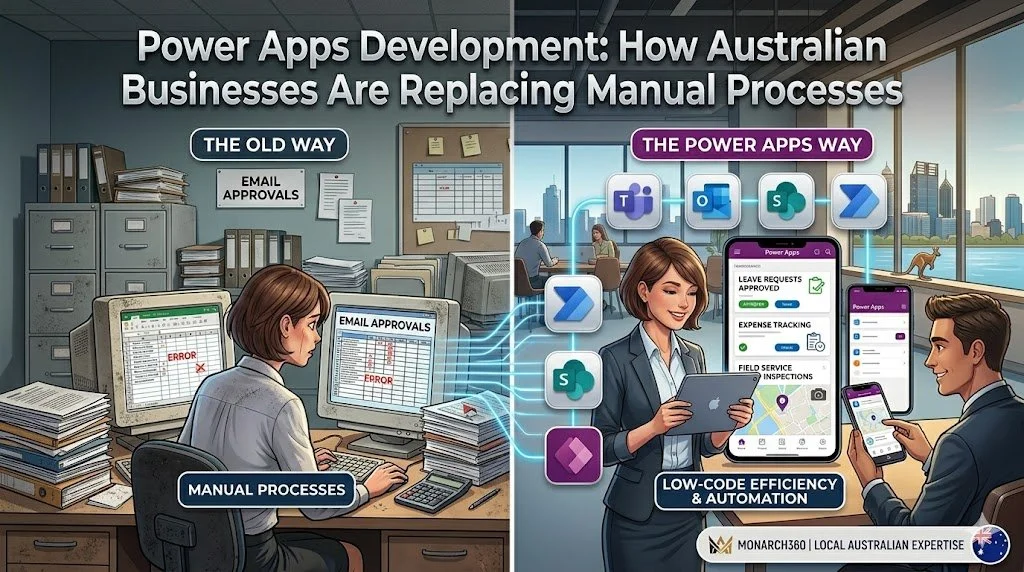
Manual processes may seem manageable at first, but as organisations grow, they often become barriers to productivity, collaboration, and customer satisfaction.
From spreadsheet-based approvals to paper forms and repetitive data entry, inefficient workflows consume valuable time and increase the risk of errors.
Australian businesses are increasingly turning to low-code platforms to modernise operations without the cost and complexity of traditional software development.
One of the leading solutions driving this transformation is Microsoft Power Apps.
This guide explores how organisations are using Power Apps to replace manual processes, improve efficiency, and accelerate digital transformation.
What Is Microsoft Power Apps?
Microsoft Power Apps is a low-code application development platform that enables organisations to build custom business applications quickly.
Rather than relying on lengthy development cycles, business users and developers can collaborate to create solutions that address specific operational challenges.
Power Apps integrates seamlessly with the Microsoft ecosystem, including:
Microsoft 365
Microsoft SharePoint
Microsoft Teams
Microsoft Dynamics 365
Microsoft Power Automate
Microsoft Dataverse
The platform also connects to hundreds of third-party applications and data sources.
Why Manual Processes Create Business Challenges
Many organisations continue to rely on:
Email-based approvals
Spreadsheet tracking
Paper forms
Manual data entry
Shared network drives
Disconnected systems
While these processes may appear cost-effective, they often lead to:
Delayed decision-making
Duplicate work
Increased administrative effort
Limited visibility into operations
Data inconsistencies
Compliance risks
Poor user experiences
As businesses scale, these inefficiencies become more difficult to manage.
Replacing manual workflows with digital solutions enables teams to focus on higher-value activities.
Common Processes Businesses Are Automating with Power Apps
Power Apps can be used to streamline a wide range of business processes.
Popular use cases include:
Employee onboarding
Leave and expense requests
Asset management
Incident reporting
Customer service requests
Field inspections
Purchase order approvals
Project tracking
Compliance audits
Inventory management
Because applications can be customised to specific requirements, organisations can create solutions that align with existing processes and business goals.
Real-World Examples of Process Automation
Invoice Approval Workflows
Manual invoice approvals often involve emails, spreadsheets, and multiple stakeholders.
With Power Apps, organisations can:
Capture invoice information digitally
Route approvals automatically
Send notifications to approvers
Track approval status in real time
Maintain complete audit trails
This reduces delays and improves financial visibility.
Employee Onboarding
Traditional onboarding processes often require coordination across HR, IT, and department managers.
A Power Apps solution can:
Centralise onboarding forms
Trigger automated tasks
Track progress across teams
Manage equipment requests
Automate access provisioning
This creates a consistent experience for new employees.
Field Service and Inspections
Mobile-enabled Power Apps allow field teams to collect information from any location.
Organisations can:
Complete digital inspection forms
Capture photos and signatures
Access customer information
Record issues in real time
Work online or offline
Field data becomes immediately available to office teams, reducing delays and manual processing.
Customer Request Management
Businesses can replace email inboxes and spreadsheets with centralised request management applications.
Features may include:
Self-service request submission
Automated task assignment
Status tracking dashboards
Service-level monitoring
Real-time reporting
This helps improve response times and customer experiences.
Key Benefits of Power Apps Development
Faster Development Cycles
Traditional software projects can take months or even years to complete.
Power Apps enables organisations to develop and deploy applications much faster through low-code development tools and reusable components.
Lower Development Costs
By reducing the need for extensive custom coding, Power Apps helps organisations control development costs while delivering tailored solutions.
Seamless Integration
Power Apps connects with existing systems, including:
Microsoft 365
Dynamics 365
SQL databases
Enterprise resource planning systems
Customer relationship management platforms
Third-party applications
This reduces data silos and improves information flow across the organisation.
Mobile Accessibility
Applications built with Power Apps work across desktops, tablets, and smartphones.
Employees can access information and complete tasks from virtually anywhere.
Scalability
Businesses can begin with a single application and expand their solutions over time without changing platforms.
Security and Compliance
Microsoft provides enterprise-grade security capabilities, including:
Multi-factor authentication
Role-based access controls
Data encryption
Audit logging
Governance and compliance tools
Organisations can also leverage Australian Azure data centres to support data residency requirements.
When Power Apps Is the Right Choice
Power Apps is well suited for organisations that:
Have repetitive manual processes
Need custom applications quickly
Already use Microsoft 365
Require mobile access
Need workflow automation
Want to reduce development costs
Typical industries include:
Local government
Healthcare
Professional services
Construction
Education
Manufacturing
Financial services
When Traditional Development May Be More Suitable
Although Power Apps is highly flexible, it may not be the ideal solution for every scenario.
Traditional software development may be more appropriate when:
Applications require highly specialised functionality
Large-scale consumer applications are needed
Complex graphics or gaming features are required
Extensive offline capabilities are essential
Unique performance requirements exist
An experienced development partner can help determine the best approach for your organisation.
Best Practices for Successful Power Apps Projects
To maximise value, organisations should:
Identify high-impact processes first
Engage business users early
Define clear success metrics
Establish governance policies
Plan for user adoption
Monitor application performance
Continuously optimise workflows
Starting with a focused use case often delivers quick wins and encourages broader adoption.
Why Partner with Monarch360?
Successful automation projects require more than technology—they require a deep understanding of business processes.
At Monarch360, we help Australian organisations design, build, and optimise Power Apps solutions that improve efficiency and support long-term growth.
Our services include:
Process analysis and discovery
Power Apps development
Workflow automation
System integration
User training and adoption
Ongoing support and optimisation
Based in Perth, our team delivers local expertise and practical solutions tailored to the needs of Australian businesses.
Conclusion
Manual processes can limit productivity, increase costs, and create unnecessary complexity.
Power Apps provides organisations with a flexible, low-code platform for building custom applications that automate workflows and improve collaboration.
Whether you want to streamline approvals, modernise field operations, or improve customer service, Power Apps can help your organisation work smarter.
If you're exploring opportunities to automate manual processes, Monarch360 can help you identify the right use cases and develop a roadmap for success.
Contact our team today to learn how Power Apps can support your digital transformation goals.
Frequently Asked Questions
How long does a Power Apps project take?
Project timelines depend on complexity and integration requirements. Simple applications can be delivered within a few weeks, while larger enterprise solutions may take several months.
Do I need coding experience to use Power Apps?
No. Power Apps is designed for low-code development, enabling business users to build and manage applications with minimal programming knowledge.
Can Power Apps integrate with existing systems?
Yes. Power Apps connects with Microsoft applications, databases, and hundreds of third-party systems through built-in connectors and APIs.
Is Power Apps secure?
Yes. Microsoft provides enterprise-grade security features, including authentication, encryption, access controls, and compliance capabilities.
Can Power Apps be used on mobile devices?
Yes. Applications built with Power Apps are accessible on desktops, tablets, and smartphones.
How do I know which processes should be automated first?
Start by identifying repetitive, time-consuming, or error-prone processes that have a measurable impact on productivity and user experience.
