

Microsoft 365 Data Migration: A Step-by-Step Guide for Australian Organisations
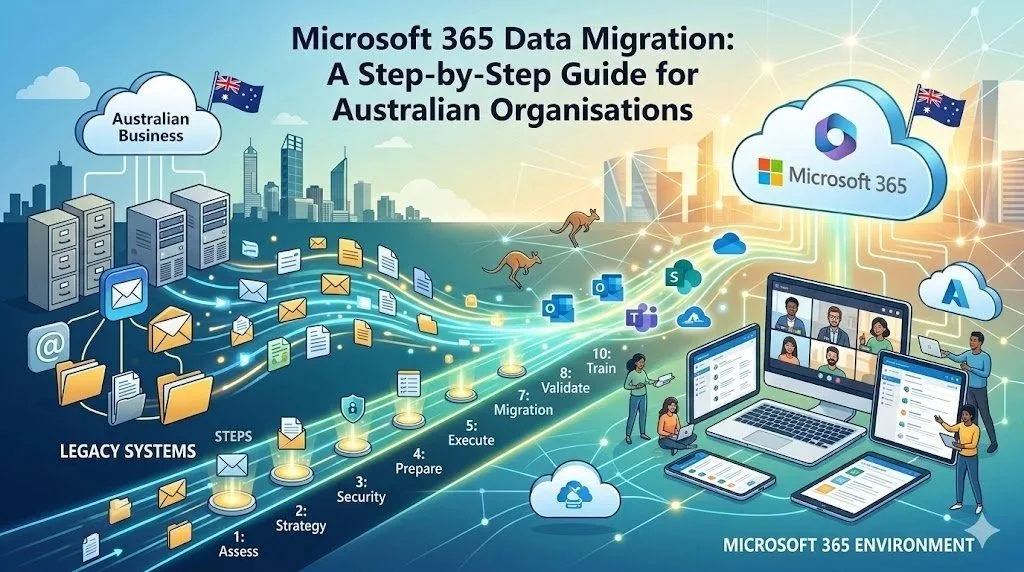
Migrating to the cloud is more than a technology upgrade—it's an opportunity to improve collaboration, strengthen security, and create a more agile workplace.
For Australian organisations, moving to Microsoft 365 can unlock significant benefits, including seamless remote collaboration, improved productivity, and enterprise-grade security. However, achieving these outcomes depends on a well-planned migration strategy.
Without the right approach, organisations may experience data loss, extended downtime, security risks, or user adoption challenges.
This guide outlines the key steps involved in a successful Microsoft 365 migration and highlights the considerations Australian organisations should keep in mind throughout the process.
Why Organisations Are Migrating to Microsoft 365
Microsoft 365 combines productivity, collaboration, and security tools in a single cloud-based platform.
Key benefits include:
Access to files and applications from anywhere
Real-time collaboration through Microsoft Teams
Centralised document management with Microsoft SharePoint
Enterprise-grade email through Microsoft Exchange Online
Advanced security and compliance capabilities
Automatic updates and reduced infrastructure costs
For many Australian organisations, Microsoft 365 provides the foundation for hybrid work and long-term digital transformation.
What Does a Microsoft 365 Migration Include?
A migration project may involve moving:
Email mailboxes
Files and folders
Shared drives
SharePoint environments
Microsoft Teams data
User accounts and permissions
Calendars and contacts
Business workflows
The complexity of your migration depends on factors such as data volume, legacy systems, integration requirements, and compliance obligations.
Step 1: Assess Your Current Environment
Before selecting tools or defining timelines, evaluate your existing environment.
Key areas to assess include:
Total data volume
Current storage locations
Number of users and devices
Existing permissions and access controls
Legacy applications and integrations
Compliance and retention requirements
Network capacity and bandwidth
Create a comprehensive inventory of your systems and identify any dependencies that could affect the migration process.
Questions to consider include:
Which data is still actively used?
What information can be archived or deleted?
Are there duplicate or outdated files?
Which teams have unique access requirements?
A thorough assessment reduces risk and helps establish realistic project timelines.
Step 2: Define Your Migration Strategy
Every organisation has different requirements.
Choose a migration approach based on your business size, complexity, and operational needs.
Migration Approach
Best For
Advantages
Pilot Migration
Small teams and proof-of-concept projects
Low risk and quick validation
Phased Migration
Medium-sized organisations
Reduced disruption and better change management
Full Migration
Smaller environments with simple requirements
Faster completion
Hybrid Migration
Large enterprises and regulated industries
Greater flexibility and business continuity
Many Australian organisations prefer a phased approach because it minimises disruption and allows lessons learned during early stages to be applied throughout the project.
Step 3: Prepare for Security and Compliance
Data security and regulatory compliance should be integrated into every phase of the migration.
Australian organisations should consider:
Australian Privacy Principles (APPs)
Industry-specific regulations
Data retention policies
Information classification requirements
Records management obligations
Microsoft provides Australian Azure data centres that can support data residency requirements for eligible services.
Security best practices include:
Enabling multi-factor authentication
Implementing role-based access controls
Encrypting data during migration
Creating comprehensive audit logs
Reviewing conditional access policies
Consult your legal, compliance, and IT teams to ensure all obligations are addressed.
Step 4: Prepare Your Microsoft 365 Environment
Before moving data, configure your Microsoft 365 environment correctly.
Preparation activities typically include:
Creating user accounts
Assigning licences
Configuring security policies
Setting up SharePoint sites and Teams
Defining governance policies
Configuring retention labels
Testing network connectivity
Your pre-migration checklist should confirm that:
User identities are synchronised
Required licences are assigned
Security settings are enabled
Backup procedures are in place
Migration tools are configured
Careful preparation helps avoid delays during execution.
Step 5: Select the Right Migration Tools
The appropriate migration tools depend on your existing environment and project requirements.
Common Microsoft migration tools include:
SharePoint Migration Tool
Microsoft Mover
Exchange migration tools
Microsoft Entra Connect
Third-party tools may also be appropriate for complex migrations involving legacy platforms or advanced reporting requirements.
Evaluate migration tools based on:
Supported data sources
Security capabilities
Migration speed
Reporting features
Scalability
Error handling and recovery options
An experienced migration partner can help determine the best approach for your organisation.
Step 6: Execute a Pilot Migration
Before migrating the entire organisation, conduct a pilot migration with a small group of users.
A pilot project helps validate:
Data integrity
Permissions and access controls
Application compatibility
User experience
Migration timelines
Select users from different departments to ensure the pilot reflects real-world scenarios.
Gather feedback and resolve any issues before moving to broader deployment phases.
Step 7: Execute the Full Migration
After a successful pilot, begin migrating users and data according to your rollout plan.
Best practices include:
Migrating in manageable batches
Scheduling migrations outside business hours
Communicating timelines clearly
Monitoring performance continuously
Providing regular status updates
A typical phased migration includes:
Pilot group
Early adopters
Departmental rollouts
Remaining users
Final cutover
Maintaining clear communication throughout the process helps reduce disruption and improve user confidence.
Step 8: Validate Data and Permissions
Validation is critical to ensuring a successful migration.
After each migration phase, verify:
File counts and sizes
Folder structures
User permissions
Metadata accuracy
Email functionality
Shared links
Search capabilities
Address issues promptly to minimise business impact.
Document all validation activities for audit and compliance purposes.
Step 9: Train Users and Drive Adoption
Technology projects succeed when people adopt new ways of working.
Provide training that covers:
Microsoft Teams collaboration
SharePoint document management
OneDrive usage
Security best practices
Mobile access
New workflows and processes
Effective user adoption strategies include:
Role-based training sessions
Video tutorials
Knowledge base articles
Internal champions
Ongoing support channels
User feedback can help identify opportunities for further optimisation.
Step 10: Optimise Your Environment
Migration is the beginning—not the end—of your Microsoft 365 journey.
Post-migration activities should include:
Monitoring system performance
Reviewing security settings
Analysing user adoption metrics
Optimising storage and governance
Identifying automation opportunities
Continuous improvement ensures organisations maximise the value of their Microsoft 365 investment.
Common Migration Challenges and How to Avoid Them
Challenge
Recommended Approach
Poor data quality
Clean and archive data before migration
Permission issues
Audit access controls early
Network limitations
Test bandwidth requirements
User resistance
Deliver training and communication
Compliance concerns
Involve compliance teams from the start
Unexpected downtime
Use phased migration strategies
Working with experienced migration specialists can help reduce these risks.
Why Partner with Monarch360?
Successful Microsoft 365 migrations require technical expertise, careful planning, and strong change management.
At Monarch360, we help Australian organisations migrate to Microsoft 365 with minimal disruption.
Our services include:
Migration assessments and planning
Microsoft 365 implementation
SharePoint and Teams configuration
Security and compliance reviews
User adoption and training
Ongoing managed support
Based in Perth, our team understands the unique needs of Australian organisations and delivers local support throughout every stage of the migration journey.
Conclusion
A successful Microsoft 365 migration requires more than moving files from one system to another.
By assessing your environment, defining a clear strategy, prioritising security, and focusing on user adoption, your organisation can minimise risk and maximise value.
With the right planning and expert guidance, Microsoft 365 can transform collaboration, improve productivity, and support long-term growth.
If you're planning a migration project, Monarch360 can help you build a tailored roadmap and deliver a seamless transition to Microsoft 365.
Contact our team today to discuss your migration requirements.
Frequently Asked Questions
How long does a Microsoft 365 migration take?
Project timelines vary depending on data volume, complexity, and migration approach. Smaller projects may take a few weeks, while larger enterprise migrations can take several months.
Can we migrate to Microsoft 365 without downtime?
Many organisations use phased migration approaches that minimise disruption by migrating users and data in stages.
Is Microsoft 365 suitable for regulated industries?
Yes. Microsoft 365 includes extensive security, compliance, and governance capabilities that support organisations across multiple industries.
How do we protect sensitive information during migration?
Use encryption, multi-factor authentication, role-based access controls, and audit logging to secure data throughout the migration process.
What tools are available for Microsoft 365 migration?
Microsoft offers several migration tools, including SharePoint Migration Tool, Microsoft Mover, Exchange migration tools, and Microsoft Entra Connect.
What happens after migration is complete?
Post-migration activities typically include user training, performance monitoring, governance reviews, security optimisation, and ongoing support.
